One project.One set of numbers.
Proq is procurement and project coordination for multi-team organizations. Line items with priorities, vendor estimates referenced rather than copied, required approvers who cannot be skipped, a conflict-aware schedule, and a plan your contractors can actually open on site.
| No. | Property | Value | Remark |
|---|---|---|---|
| 01 | Grand totals per project | 1 | Every rollup is computed, so views cannot disagree |
| 02 | Times an estimate is stored | 1 | Uploaded once, referenced by a project, a group or an item |
| 03 | Required approvers that can be skipped | 0 | Org-level rules, not per-request edits |
| 04 | Apps a contractor has to install | 0 | The execution plan is a scoped share link |
Multi-tenant from day one. Per-project roles: viewer, commenter, editor, approver.
One item record
Priority, area, category and phase are fields on the item, not separate lists. Sort by any of them and the numbers stay the same, because every total is computed from the same record.
Estimates referenced
A vendor estimate is uploaded once and pointed at the work it covers. An item can carry several competing prices; the one you select is the one the budget uses.
Approvals that hold
Required signers come from org rules. Approvals name the amount they agreed to, so when a price changes the signature goes stale instead of quietly carrying over.
A schedule that knows
Project work sits on the same calendar as the organization's regular schedule and its shared equipment. Double-book the one lift and Proq says so before the crew arrives.
Budget with a cut line
Set the number and the list sorts itself into what fits and what defers. Committed work is protected, nothing is deleted, and two scenarios can sit side by side in the meeting.
One conversation
Comments are attached to the item, not to a channel. Flag a reply as a decision and it becomes tracked work with a lead, a date, and a record of what was decided.
Three bids for the same work, compared honestly
A bid that excludes rigging is not cheaper. Proq puts competing estimates next to each other line by line, prices the gaps, and flags the lead time that would miss your install window. Selecting one is the only action that moves money, and it says what it will do before you confirm.
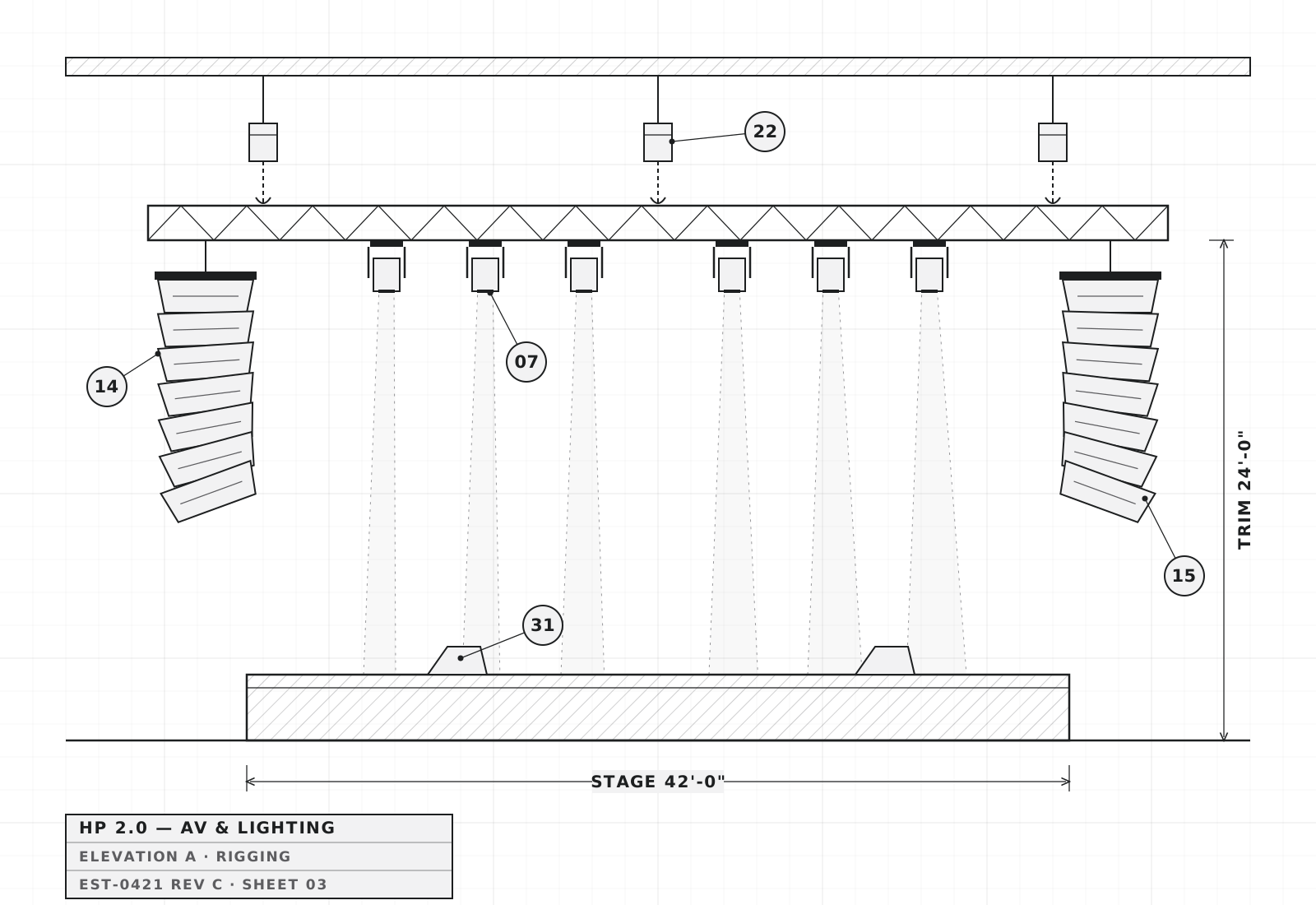
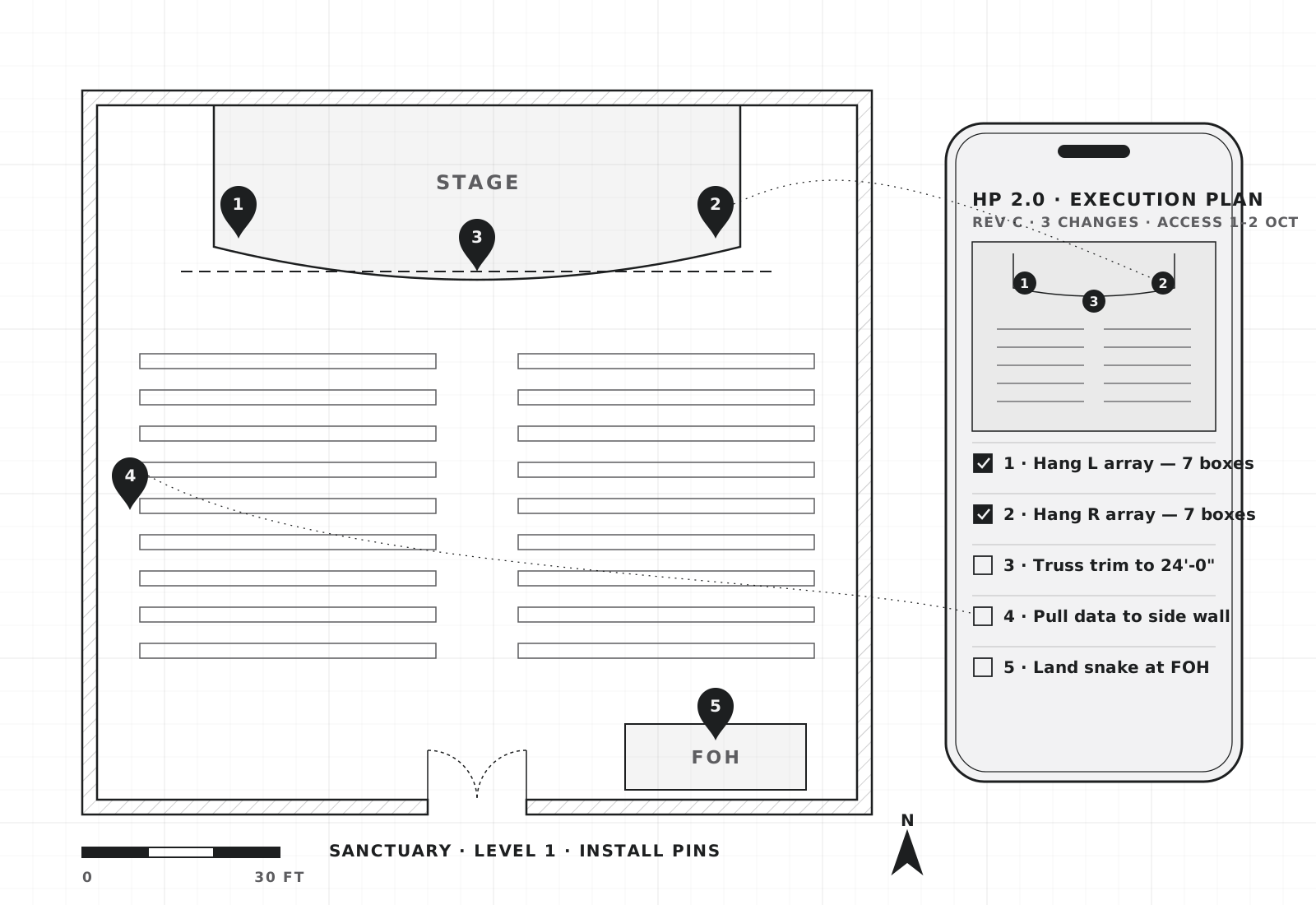
The plan your contractor opens in the room
A scoped share link, no account and no install: what goes where, pinned on your own site photos, with the spec, the access window and the tasks. Revisions interrupt once with a plain list of what changed. Prices and internal discussion stay behind.
Run the project from your own AI assistant
Ask Claude, ChatGPT or Cursor what is still waiting on a signature, or have it add the items from this morning’s walkthrough. There is no API key to make: paste one URL, sign in to Proq, and choose what it is allowed to do. It works as you — never with more than your role allows.
- 01
Paste one URL
Open your assistant’s “add connector” or “custom MCP server” screen and paste the Proq address. No API key, no token to copy.
- 02
Sign in to Proq
Your assistant opens Proq’s normal sign-in. Sign in the way you always do and pick the organization it should work in.
- 03
Choose what it can do
Pick read only, read and write, or a custom mix, then select Allow access. That is the whole setup — ask it about your projects.
Proq was built out of a $325,000 AV and lighting project run across Slack, texts, hallway conversations, and a spreadsheet whose three rollups produced three different grand totals.
Proq it.
Bring one project across — the list, the estimates you already have, and the people who need to sign. Early access opens by organization, and we help with the first import.